Light by design.
Folders are agents.
TEAM AGENTS MANAGEMENTAdd workspaces to your team. Let each agent work in its own folder.
npm i -g @rind-ai/cli@0.10.1Coding team
- Lead
~/lead- Dev
~/dev- Frontend
~/web - Backend
~/api
- QA
~/qa- Unit tests
~/unit - E2E tests
~/e2e
- Review
~/review
One task.
A team behind it.
Delegate to a team. Review the work. Accept the result.
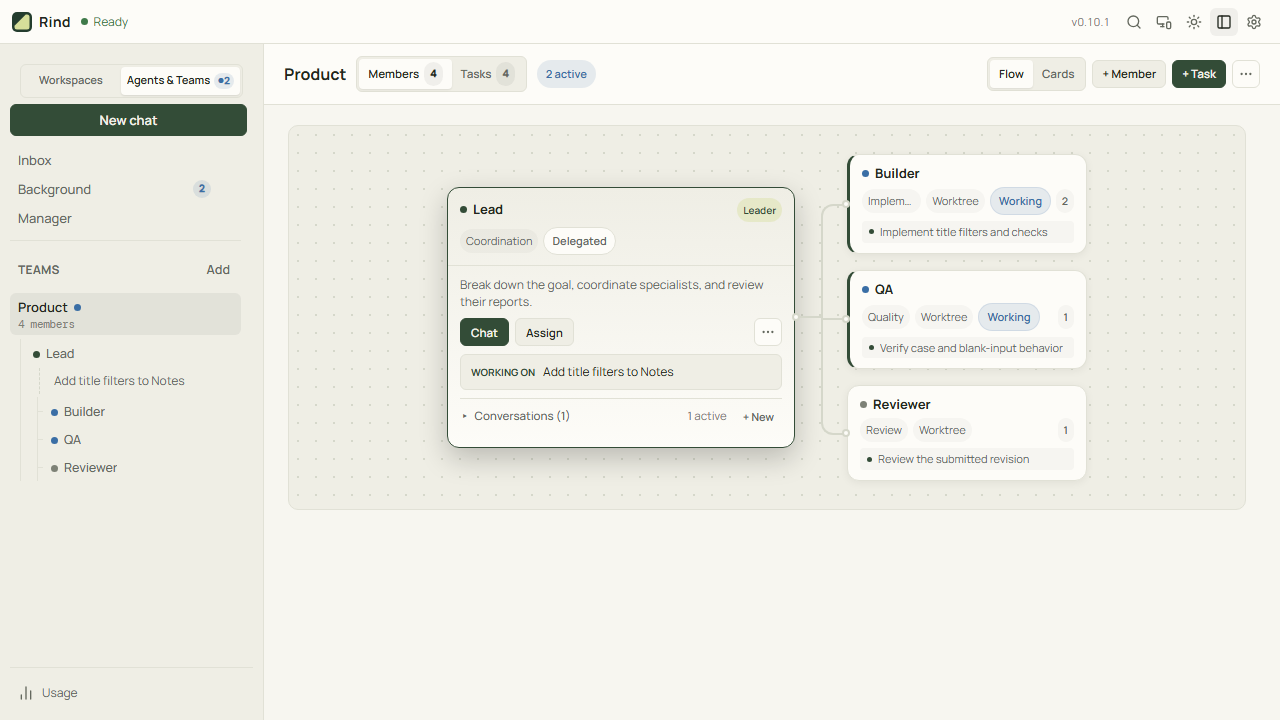
One brief. Parallel work. Reviewed delivery.
The interactive preview could not load. Use the full-size preview link to try again.
A proper CLI.
A warmer welcome.
Read files, make changes, and run checks in your terminal.
Describe what you need and follow the work as it happens: reading files, making edits, and running tests. Keep the conversation going from the same command line.
From request to passing checks.
Every folder is
a teammate.
Team Agents Management
Each teammate has a workspace. Files, tools and methods stay there, ready for the next task.
Explore agent managementBuild your first agent teamReporting tree
Arrange the lead and specialists by who reports to whom.
Workspaces
Each member is backed by a folder. Frontend works in ~/product/web.
Conversations
A member can keep several conversations without becoming several agents.
Needs you
Questions, approvals and blockers that need a human decision, in one place.
New deliveries
Review returned work, accept it or send it back for rework.
Coordinate in conversation
Ask the Manager to organize teams, arrange members and delegate to leaders.
Keep the history
Return to earlier management conversations; member files stay in their workspaces.
Outside a team
Ordinary conversations stay grouped by folder. They do not become team members automatically.
Pick up the thread
Continue a saved conversation in the folder where it belongs.
Running now
See work that continues after you leave, including ordinary conversations and team tasks.
Background services
Inspect the management service and shared Runtime, their uptime and logs.
Stop deliberately
Stop all agents and leave Rind. Teams and conversation history are kept.
Track the goal
A task records the owner, progress and delivery — separately from its conversation.
Follow delegation
See why the lead is waiting and when its task resumes.
The delivery
Read what was completed, not just the last chat message.
The evidence
Review the reported checks before accepting the work.
The files
Inspect published artifacts; accept the delivery or request rework.
Swipe the terminal to explore all three panes →
Empty chat input → Left → AgentsThis is the real Organization view. Enable JavaScript to explore the other views, or open Agents in Rind.
One task. A team working together.
Follow Lead, Builder, and Reviewer from assignment to reviewed delivery.
Watch the 72-second walkthrough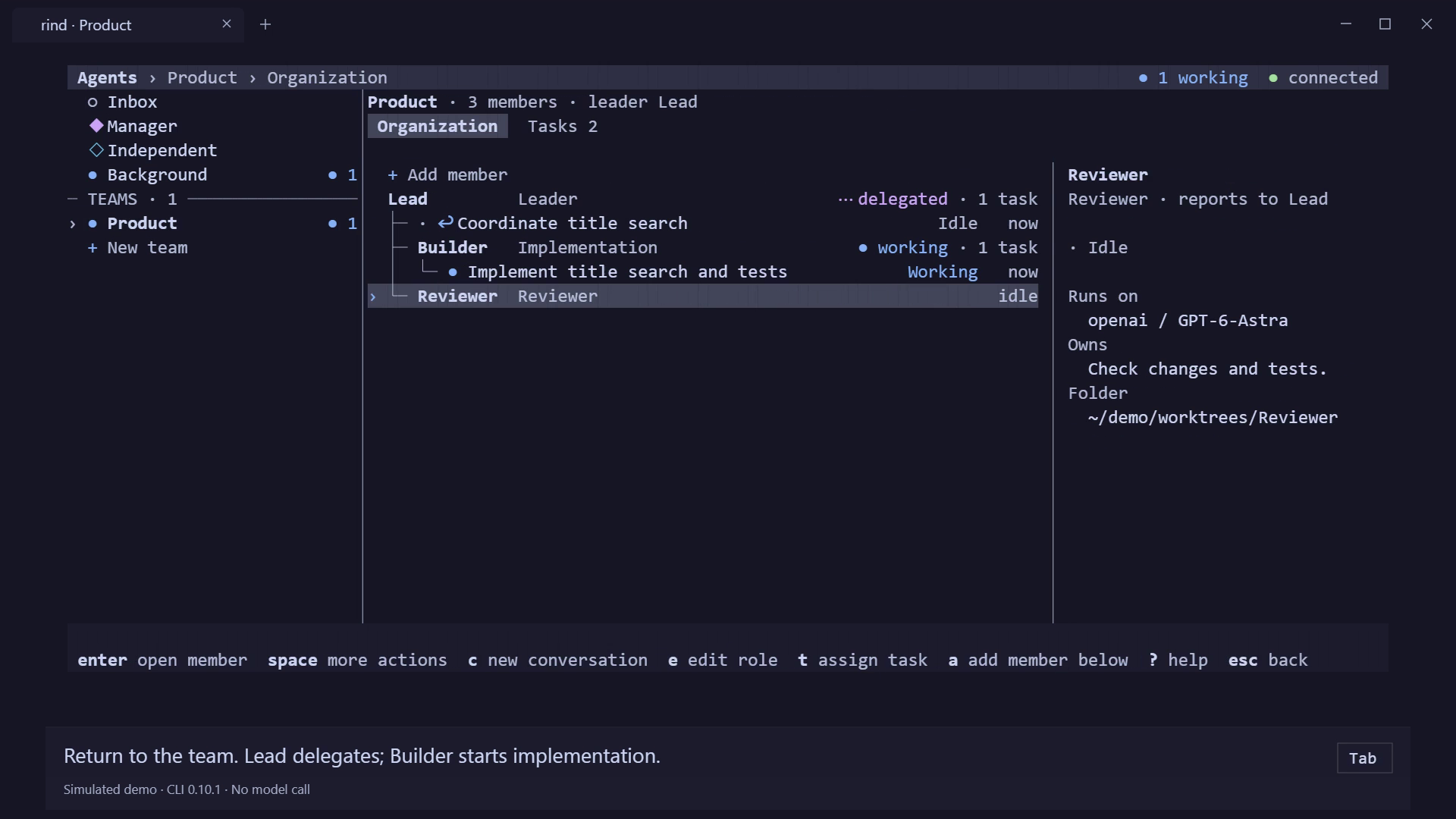 Simulated demo · 1:12
An engine,
not an empire.
Keep the design restrained. Make the essentials robust. The interface handles interaction; a small, reusable worker handles execution across a clear process boundary.
- 01
Load when needed.
A turn opens its session and creates the execution objects it needs.
- 02
Let go when idle.
When active and queued work is done, the session’s execution container is released.
- 03
Keep the work.
Session history lives on disk. The next turn picks it up again.
requests ↓ ↑ eventsOne lean worker
Models · tools · delegation
Your work.
Your way in.
The same local worker, with the right interface for each moment.
CLI
v0.10.1 · Agents Management, ChatGPT sign-in, a built-in guide, and scriptable commands.
02Desktop
v0.10.1 · A visual workspace. Installers for Windows, macOS, and Linux on GitHub.
03Android
v0.10.1 · Android 8.0+ APK · connect to a running Rind Desktop host.
04Web
Connect through a browser. Close the tab; the worker keeps running.
05Gateway
Reach the agent through Telegram, Discord, Slack, Feishu, and other messaging adapters.
Interfaces share a runtime, not an identical feature set. Team Agents Management is available in CLI 0.10.1. Web and Mobile connect to a running host; they do not run the Worker on your phone.
Make room
for possibility.
Bring a project. Pick your model. Go from there.
See all downloads and ways to workCLI v0.10.1 · Node.js 18+ · x64 / ARM64 · Windows, macOS & Linux
npm install -g @rind-ai/cli@0.10.1cd your-project
rindInside CLI v0.10.1, use /login to choose a connection, then /model to choose a model.
Prefer a standalone CLI installer? View v0.10.1 assetsFinish your first taskRind Desktop v0.10.1 · GitHub Releases
Desktop bundles its runtime. Choose the v0.10.1 installer for your system:
Release notes and SHA256 checksumsWindows and macOS installers are currently unsigned; your system may show a trust prompt. Linux AppImage may need FUSE.
Python 3.12+ · Node.js 18+ · Git
Source builds may include unreleased changes. Use the v0.10.1 tag to match the published CLI.
git clone https://github.com/Azzurroooo/rind.git
cd rind
python -m venv .venv
Then activate the environment and install the worker:
macOS / Linux
source .venv/bin/activate
python -m pip install -r requirements-runtime.txt
npm install --prefix agent-management
npm run build --prefix agent-management
npm install --prefix frontend-cli
node frontend-cli/bin/rind.js
Windows PowerShell
.\.venv\Scripts\Activate.ps1
python -m pip install -r requirements-runtime.txt
npm install --prefix agent-management
npm run build --prefix agent-management
npm install --prefix frontend-cli
node frontend-cli/bin/rind.js
Inside CLI v0.10.1, use /login to choose a connection, then /model to choose a model.
Full source setup